Turn your photo into GTA 6 style art.
Upload a selfie, a photo with friends or your dog. Pick a scene and get a hand-painted Grand Theft Auto VI style illustration with ink outlines, cel shading, palm trees and a neon sunset. Your face, hair and outfit stay recognizable.
See before & afterBefore & after
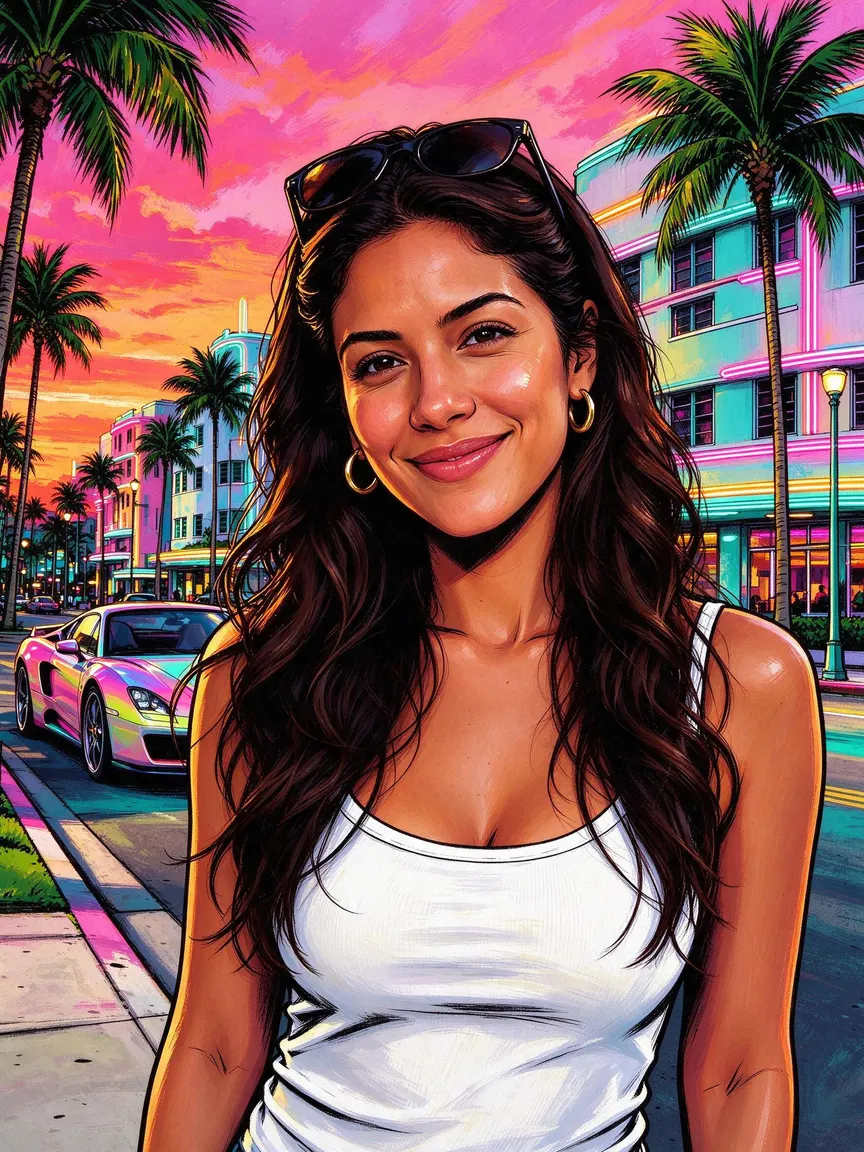
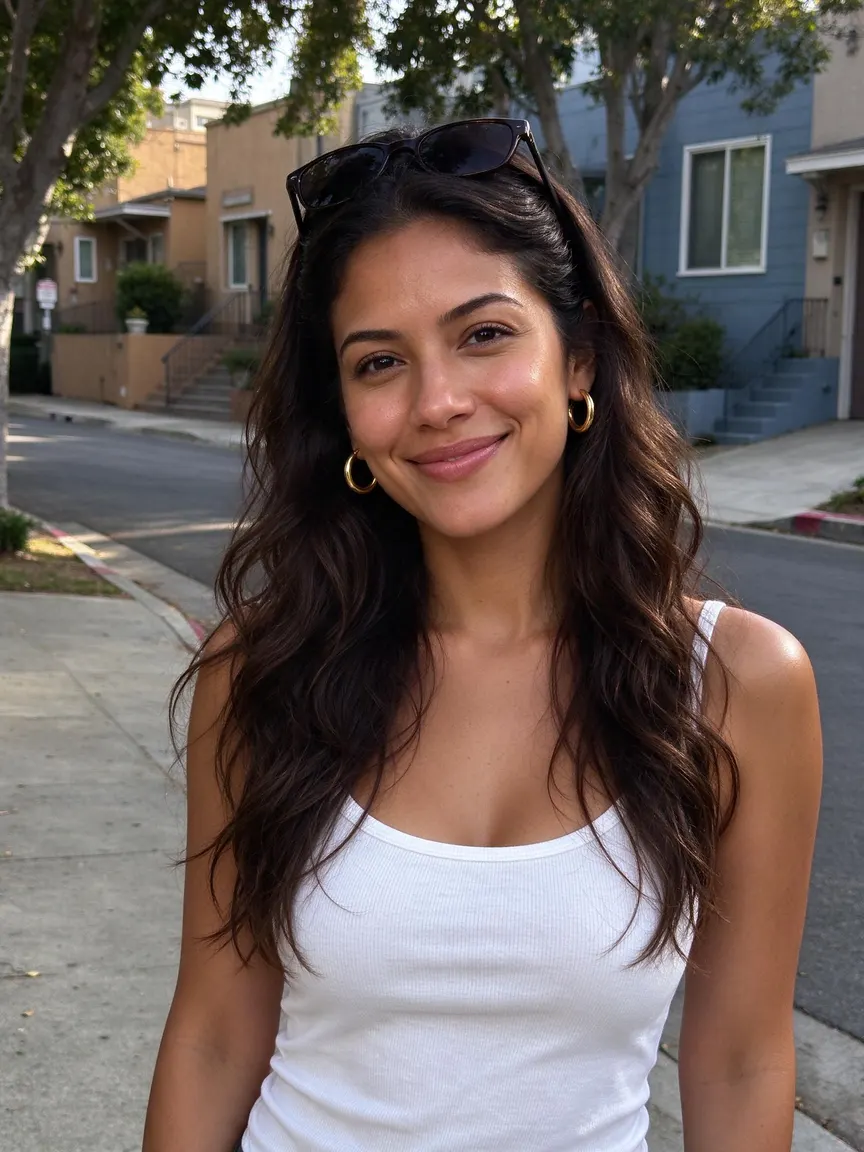 BeforeAfter
GTA 6 style before and after
Each result is a single run of this generator with Seedream 5.0 Flash and no retouching. The source photos are AI-generated people, not real persons.
Before After Selfie to sunset key art
Scene: Sunset boulevardA plain street selfie becomes a painted portrait on a palm-lined boulevard. Hair, earrings and the sunglasses on her head all carry over.
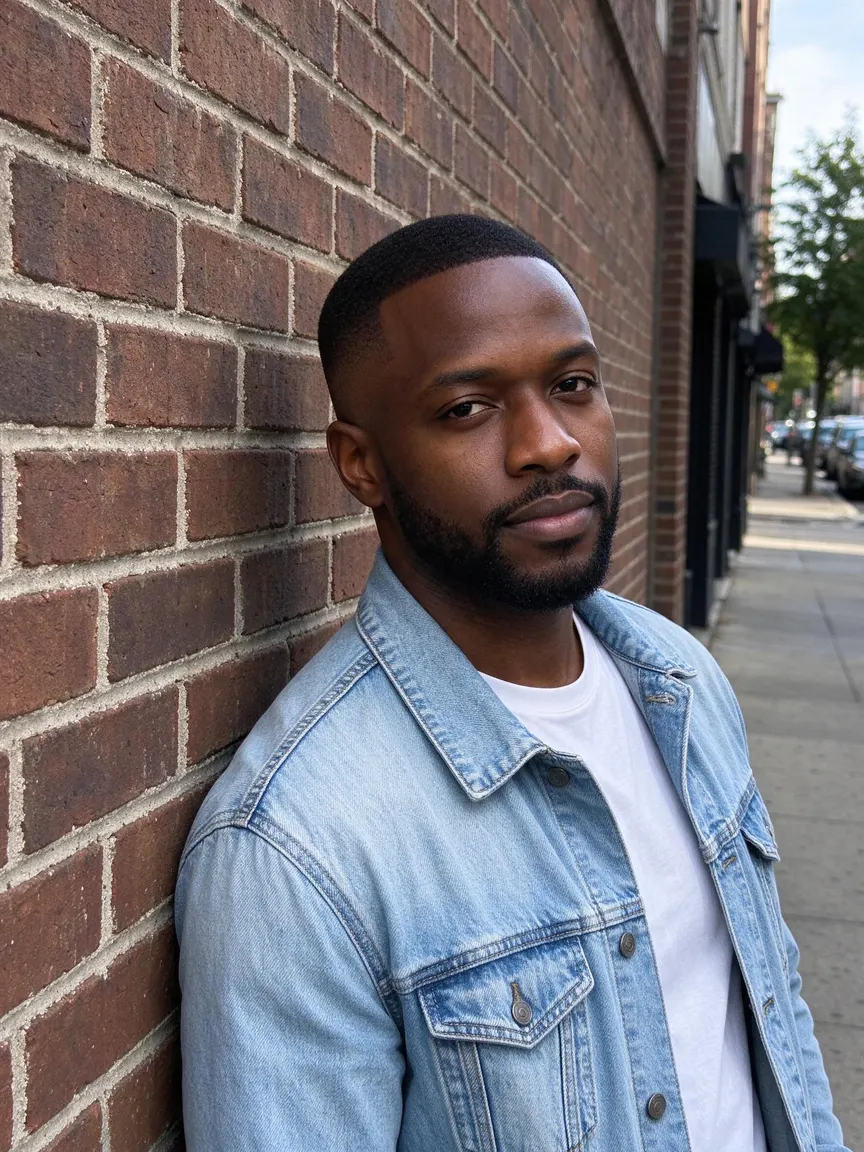
Before 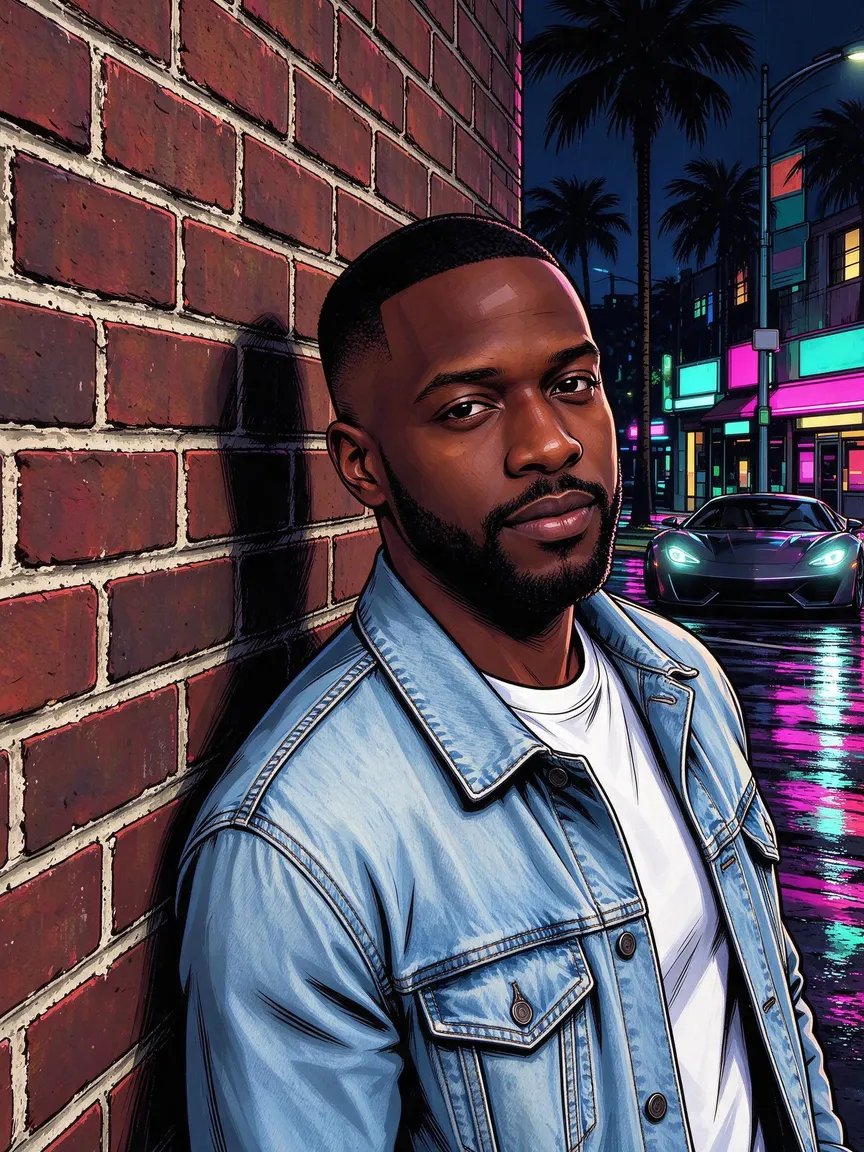
After Neon night street
Scene: Neon nightThe denim jacket, beard and pose stay. The background turns into a rain-soaked street lit by pink and teal neon.
Before 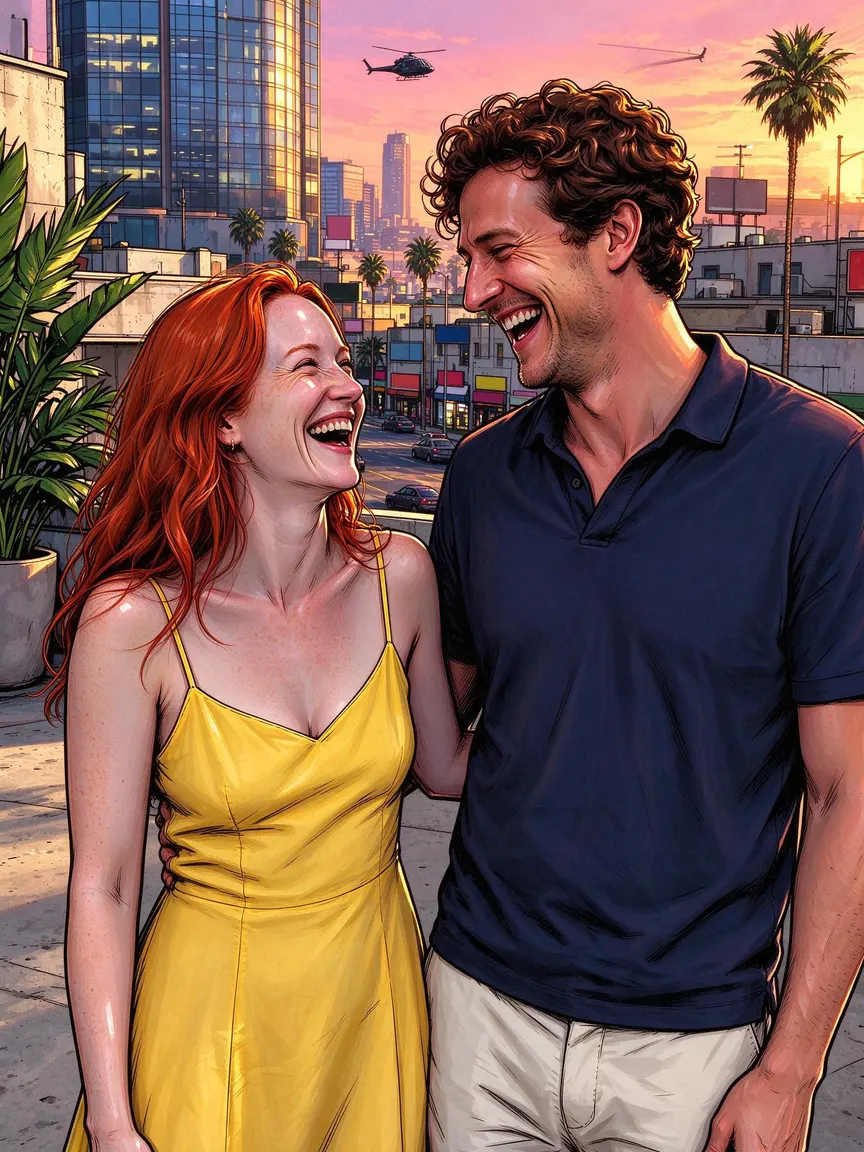
After Two people, one scene
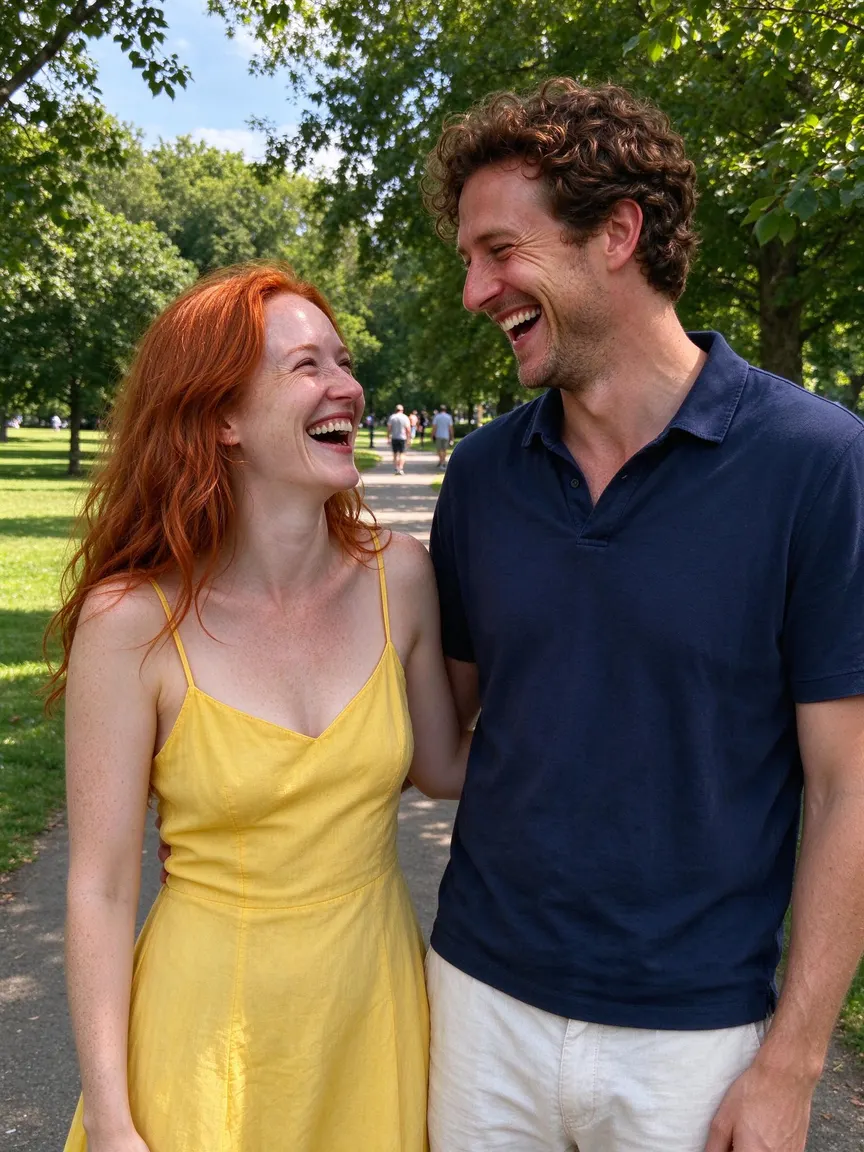
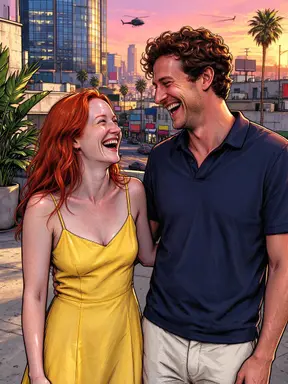
Scene: Rooftop skylineBoth faces stay recognizable in a group shot. The park path becomes a rooftop at golden hour with a helicopter over the skyline.
Before 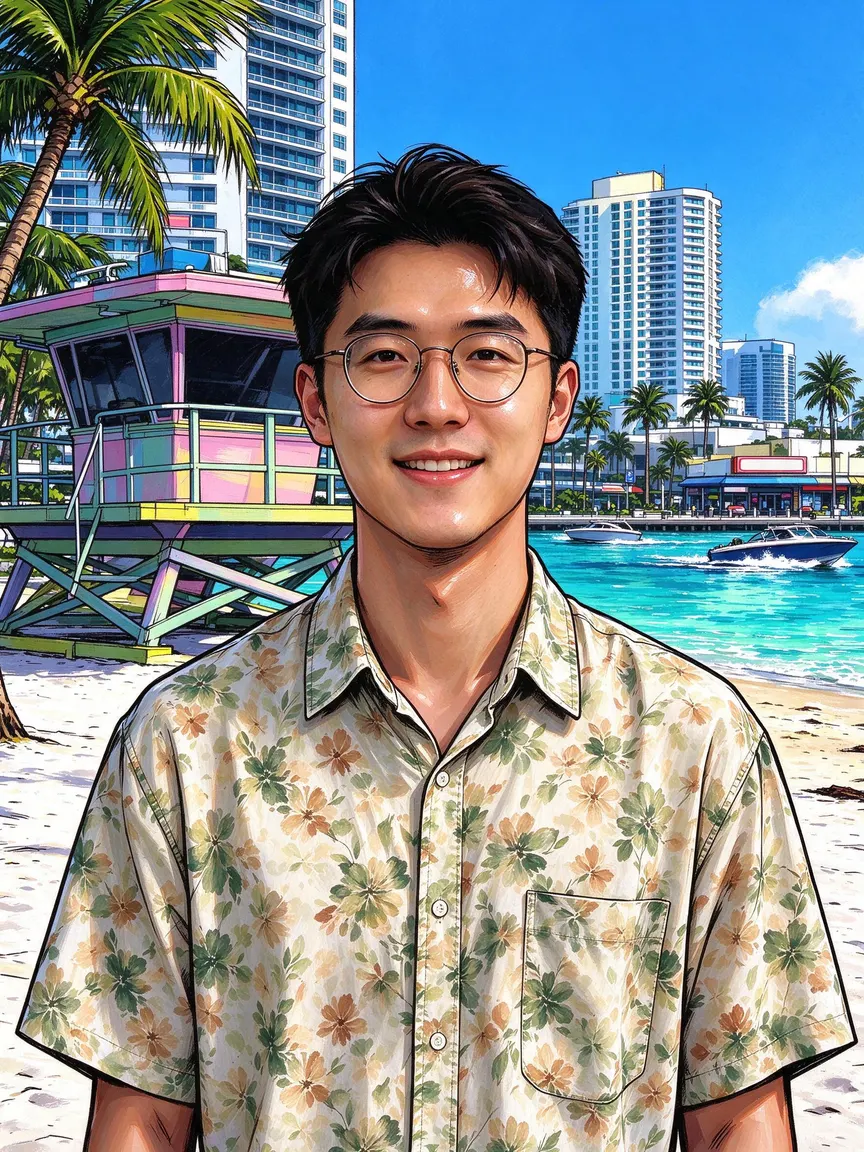
After Beach day
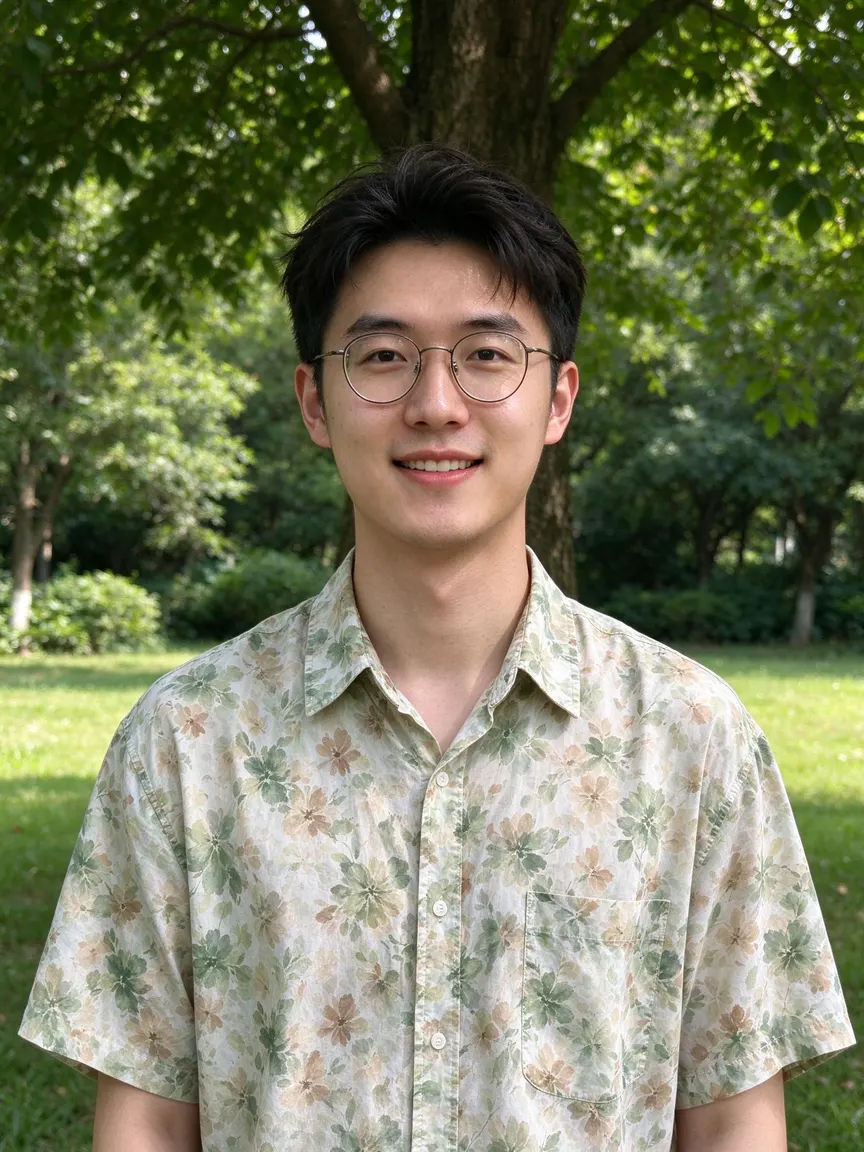
Scene: Beach dayGlasses and the floral shirt pattern survive the restyle. The park is swapped for white sand, a pastel lifeguard tower and speedboats.
Before 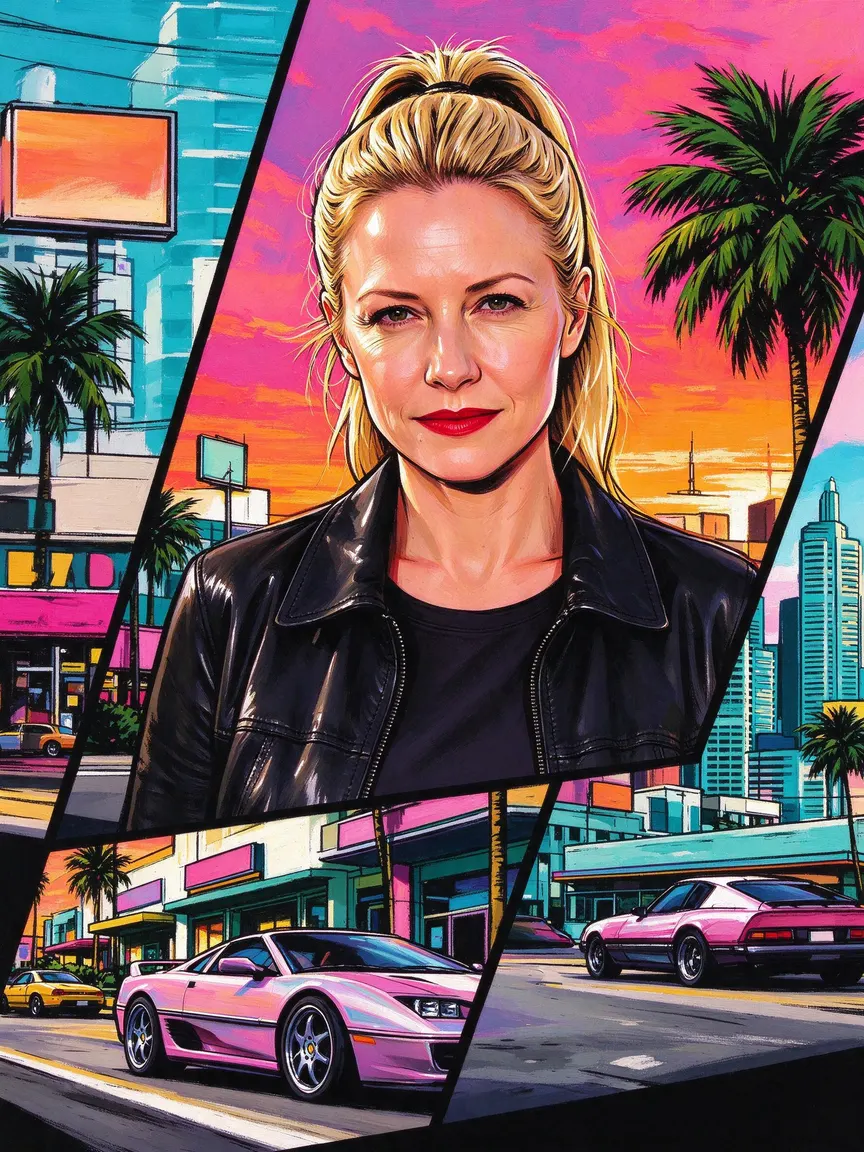
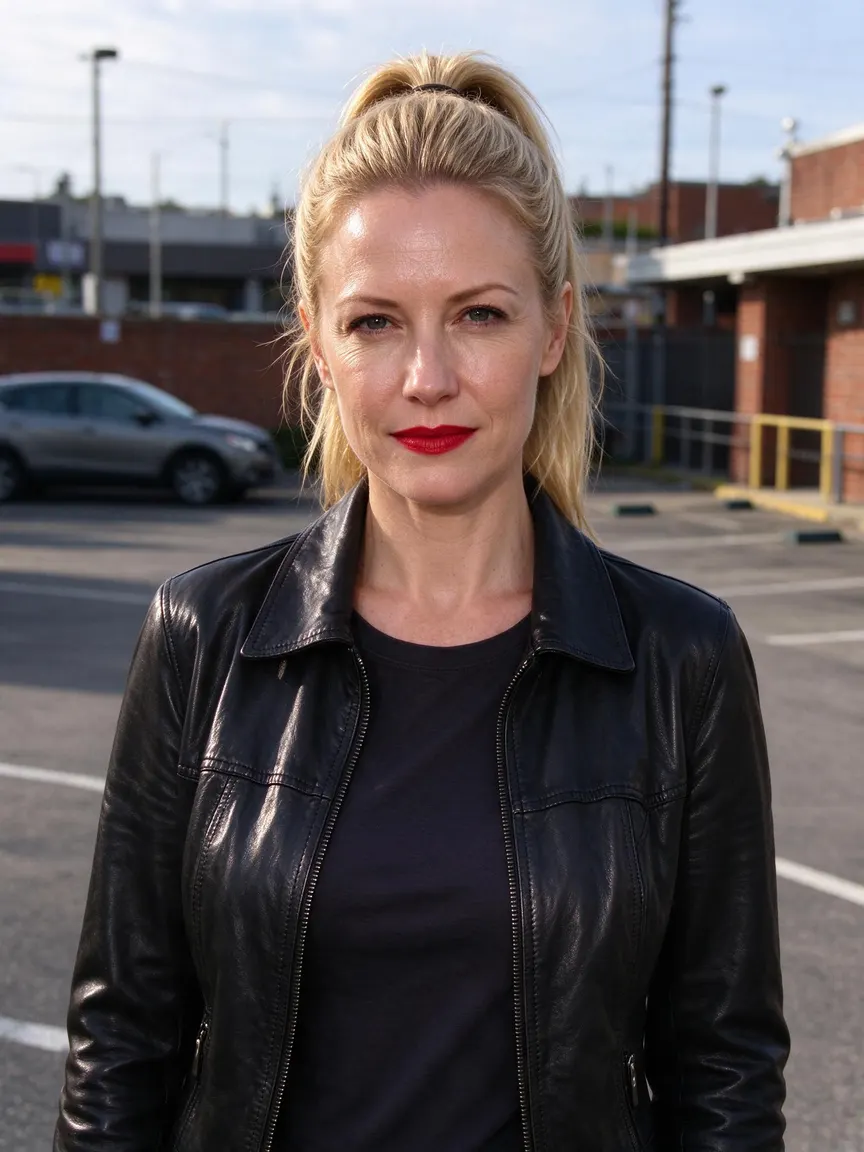
After Loading-screen poster
Scene: Loading screenThe loading-screen layout splits the image into tilted panels, with the portrait in the largest one and the city around it.
Before 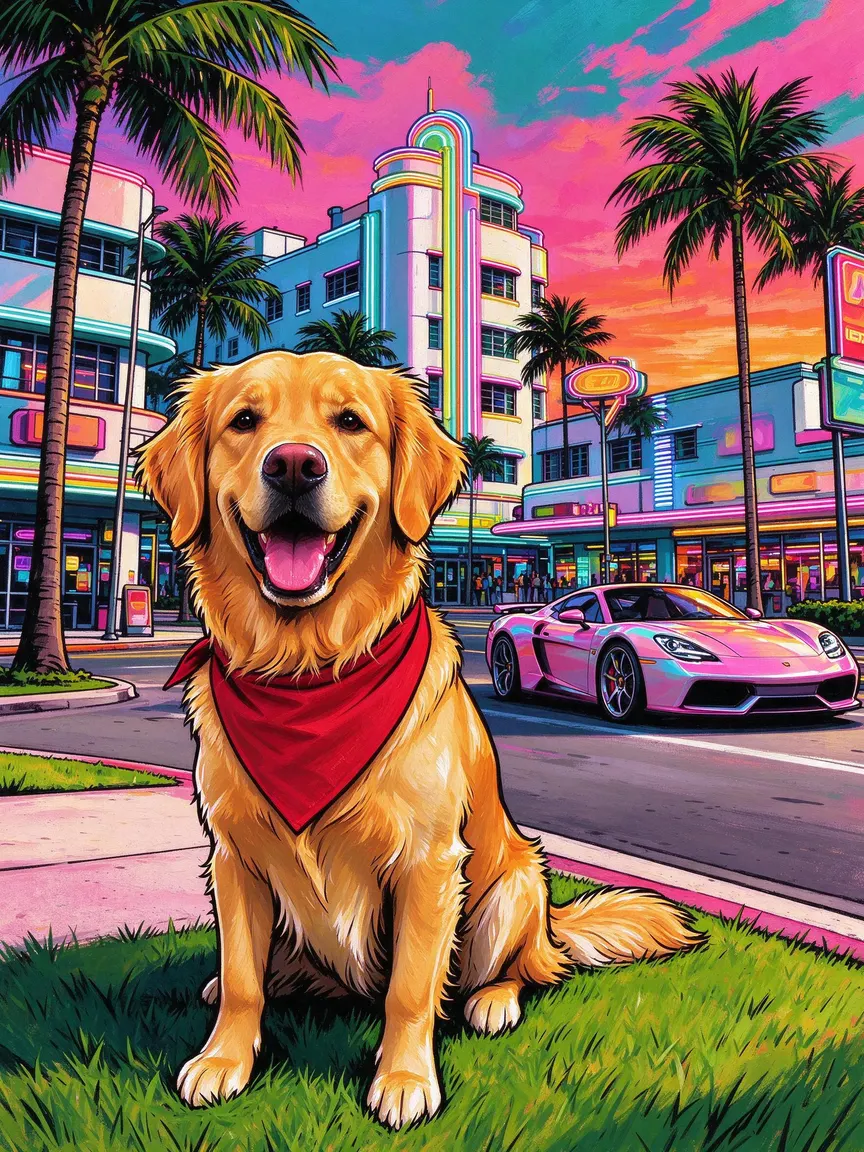
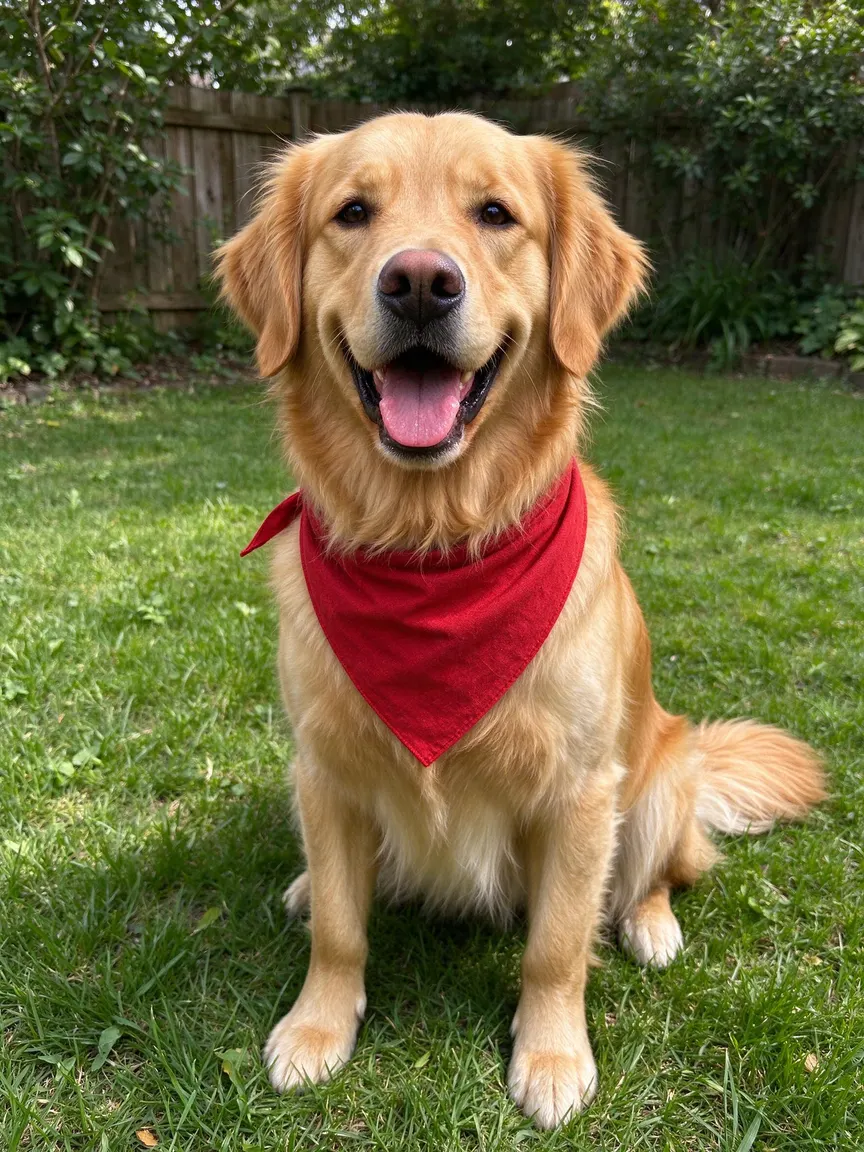
After Pets work too
Scene: Sunset boulevardPets get the same treatment. The red bandana and the happy grin stay; the backyard becomes a sunset street.
Five GTA 6 scenes to choose from
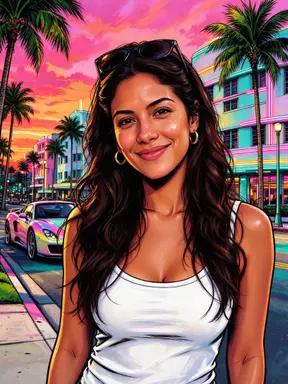
Sunset boulevard
Palm trees, pastel art deco hotels with neon tubes and a sports car under a hot pink sky. The classic GTA 6 trailer look.
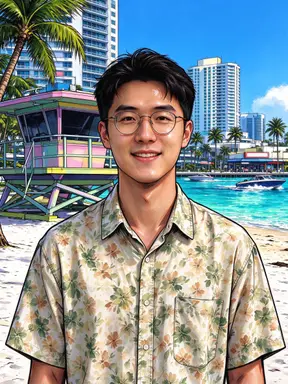
Beach day
White sand, a pastel lifeguard tower, turquoise water and speedboats in hard midday sun.
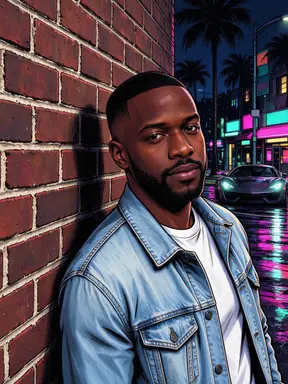
Neon night
A rain-soaked street at night with pink and teal neon reflected on the asphalt.
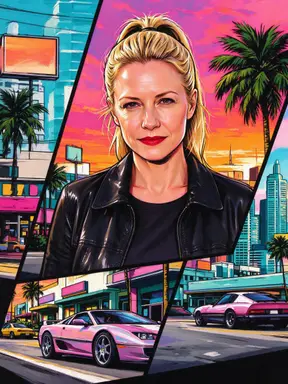
Loading screen
The loading-screen layout: tilted panels with thick black borders, your portrait in the largest one.
Rooftop skyline
A rooftop at golden hour with glass towers, palm-lined streets below and a helicopter in the sky.
What makes the GTA 6 art style
Grand Theft Auto VI was released by Rockstar Games on November 19, 2026 for PlayStation 5 and Xbox Series X|S. Its artwork has four traits the generator reproduces.
Ink outlines
Every shape gets a clean, bold black outline, like the hand-painted key art used for the game's covers and loading screens.
Cel-shaded skin
Faces are painted in flat tones with glossy highlights instead of photo texture, which keeps the person recognizable but stylized.
Sunset palette
Hot pink, coral and orange skies against teal shadows. The colors are pushed well past a normal photo.
Florida setting
Palm trees, beaches, art deco fronts, sports cars and neon. GTA VI is set in Leonida, a fictional state based on Florida.
How to make GTA 6 style art from a photo
Upload a photo
Use a clear photo of yourself, a few friends or a pet. JPG, PNG, WebP and iPhone HEIC files up to 12 MB work.
Pick a scene
Choose sunset boulevard, beach day, neon night, rooftop skyline or the loading-screen poster. No prompt to write.
Generate and download
Seedream 5.0 Flash finishes in about 20 seconds. Drag the slider to compare, then download the 2K image.
Speed, size and cost
- Time per image
- About 20 s (Seedream) · 30 s (Nano Banana Pro)
- Output
- 2K JPG, 3:4 or matched to your photo
- Credits per image
- 1 (Seedream) · 3 (Nano Banana Pro)
- Scenes
- 5, no prompt needed
Which photos give the best result
Likeness depends mostly on the photo. A large, sharp face matters more than the scene you pick.
- Use: Face clearly visible, eyes open, decent light
- Avoid: Tiny faces in a wide crowd shot
The model copies what it can see. Small or blurry faces come back less like the person. - Use: Waist-up or head-and-shoulders framing
- Avoid: Heavy filters or face-swap apps
Filters change skin and eye shape before the restyle starts. - Use: One to three people, or one pet
- Avoid: Large groups of five or more
Each extra person gets fewer pixels, so likeness drops.
Frequently asked questions
What is a GTA 6 style AI generator?
It redraws an ordinary photo in the look of Grand Theft Auto VI key art: bold ink outlines, cel-shaded skin, a pink and orange sunset palette and a Florida-style backdrop with palm trees, neon and sports cars. You upload a photo, pick a scene and get a finished illustration. There is no prompt to write.
Is it free?
You need a free account to generate. Each Seedream 5.0 Flash image uses 1 credit and each Nano Banana Pro image uses 3 credits. New accounts get free sign-up credits, enough for several Seedream images, and registered Free accounts receive monthly credits. If a generation fails, the credits are returned.
Will the result still look like me?
Yes in most cases. The prompt asks the model to keep face shape, skin tone, hairstyle, hair color, glasses, pose and clothing colors. In our tests, earrings, glasses, a floral shirt pattern and a dog's bandana all carried over. For the closest likeness, use a sharp photo where your face is large in the frame, or switch to Nano Banana Pro.
Which model should I choose?
Start with Seedream 5.0 Flash: about 20 seconds and 1 credit for a 2K image. Nano Banana Pro is Google's image model; it takes about 30 seconds and 3 credits. If Google's model declines a photo, you can switch back to Seedream with one click.
Can I use a group photo or a pet?
Yes. Photos with two or three people work well, and pets get the same painted look. Large groups are harder because each face is small. Crop the photo so the people you care about fill most of the frame.
Why are there no words or logos in the image?
The generator is told to leave signs, storefronts and cars blank and to add no title or logo. AI models often misspell text, and the game's logos and names belong to their owner. Add your own caption afterwards if you want one.
Is this an official Rockstar Games tool?
No. Nano Image is not affiliated with, endorsed by or sponsored by Rockstar Games or Take-Two Interactive. The tool creates fan-style illustrations inspired by the look of the game and does not use official artwork, logos or fonts.
Can I post the result on social media?
Yes, the image is yours to share as a personal post, profile picture or fan art. Do not present it as official GTA artwork or use the game's name and logo to sell products. Only upload photos of people who agreed to it.
Which photos are refused?
Every upload and result is checked for safety. Nudity, sexual content, and edits that sexualize or demean real people are refused, and no credits are used when that happens. Photos of children are best avoided.
Grand Theft Auto, GTA and Rockstar Games are trademarks of Take-Two Interactive Software. Nano Image is not affiliated with, endorsed by or sponsored by Rockstar Games or Take-Two. This page offers fan-style illustrations inspired by the game's look and uses no official artwork, logos or fonts.